
How To
Mermaid
Mermaid documentation for Honeydeck.
Mermaid
Runnable demo: Use the
demos/mermaidproject on GitHub to try this setup in a complete Honeydeck deck.
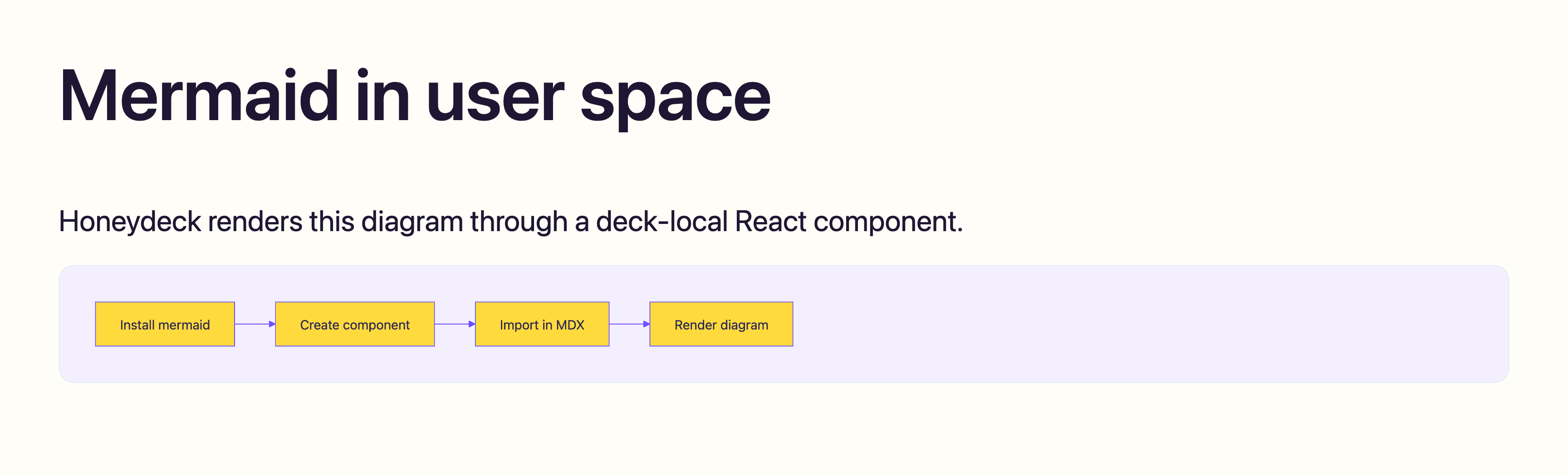
Mermaid is not part of Honeydeck core. Use it as a normal project dependency and render diagrams through a local React component that you import from your deck.
Install
npm install mermaidAdd a component
Create components/Mermaid.tsx:
import mermaid from "mermaid";
import {
	isValidElement,
	type ReactNode,
	useEffect,
	useId,
	useRef,
	useState,
} from "react";

type MermaidProps = {
	chart?: string;
	children?: ReactNode;
};

function childrenToChart(children: ReactNode): string {
	if (typeof children === "string" || typeof children === "number") {
		return String(children);
	}

	if (Array.isArray(children)) {
		return children.map(childrenToChart).join("");
	}

	if (isValidElement<{ children?: ReactNode }>(children)) {
		return childrenToChart(children.props.children);
	}

	return "";
}

function themeColor(name: string, fallback: string): string {
	const value = getComputedStyle(document.documentElement)
		.getPropertyValue(name)
		.trim();
	return value || fallback;
}

function readHoneydeckColorMode(): "light" | "dark" {
	if (typeof document === "undefined") return "light";
	return document.documentElement.getAttribute("data-honeydeck-color-mode") ===
		"dark"
		? "dark"
		: "light";
}

function useHoneydeckColorMode(): "light" | "dark" {
	const [colorMode, setColorMode] = useState(readHoneydeckColorMode);

	useEffect(() => {
		const observer = new MutationObserver(() => {
			setColorMode(readHoneydeckColorMode());
		});

		observer.observe(document.documentElement, {
			attributes: true,
			attributeFilter: ["data-honeydeck-color-mode"],
		});

		return () => observer.disconnect();
	}, []);

	return colorMode;
}

export function Mermaid({ chart, children }: MermaidProps) {
	const id = useId().replace(/[^a-zA-Z0-9_-]/g, "");
	const ref = useRef<HTMLDivElement>(null);
	const [error, setError] = useState<string | null>(null);
	const colorMode = useHoneydeckColorMode();
	const source = (chart ?? childrenToChart(children)).trim();

	useEffect(() => {
		let cancelled = false;

		async function render() {
			setError(null);

			try {
				const background = themeColor("--honeydeck-background", "#ffffff");
				const foreground = themeColor("--honeydeck-foreground", "#111111");
				const surface = themeColor("--honeydeck-surface", "#f3f4f6");
				const surfaceForeground = themeColor(
					"--honeydeck-surface-foreground",
					foreground,
				);
				const primary = themeColor("--honeydeck-primary", "#6d4aff");
				const accent = themeColor("--honeydeck-accent", primary);
				const fontFamily = themeColor(
					"--honeydeck-font-body",
					"ui-sans-serif, system-ui, sans-serif",
				);

				mermaid.initialize({
					startOnLoad: false,
					theme: "base",
					securityLevel: "strict",
					themeVariables: {
						background,
						mainBkg: accent,
						primaryColor: accent,
						primaryBorderColor: primary,
						primaryTextColor: surfaceForeground,
						secondaryColor: surface,
						secondaryBorderColor: accent,
						secondaryTextColor: foreground,
						tertiaryColor: accent,
						tertiaryBorderColor: primary,
						tertiaryTextColor: surfaceForeground,
						lineColor: primary,
						arrowheadColor: primary,
						textColor: foreground,
						fontFamily,
						fontSize: "16px",
						actorBkg: accent,
						actorBorder: primary,
						actorTextColor: surfaceForeground,
						activationBkgColor: background,
						activationBorderColor: accent,
						signalColor: primary,
						signalTextColor: foreground,
						noteBkgColor: accent,
						noteBorderColor: accent,
						noteTextColor: surfaceForeground,
					},
				});

				const result = await mermaid.render(`mermaid-${id}`, source);
				if (cancelled || !ref.current) return;

				ref.current.innerHTML = result.svg;
				result.bindFunctions?.(ref.current);
			} catch (err) {
				if (cancelled) return;
				setError(err instanceof Error ? err.message : String(err));
			}
		}

		void render();

		return () => {
			cancelled = true;
		};
	}, [source, id, colorMode]);

	return (
		<figure className="user-mermaid m-0 overflow-x-auto rounded-honeydeck border border-border bg-surface p-[1em] text-surface-foreground">
			{error ? (
				<pre className="m-0 whitespace-pre-wrap rounded-honeydeck bg-background p-3 text-foreground">
					<code>{error}</code>
				</pre>
			) : (
				<div ref={ref} />
			)}
		</figure>
	);
}
Add styles
Add this to your styles.css, after your Honeydeck theme imports:
.user-mermaid svg :is(p, div, span, .label, .nodeLabel, .edgeLabel) {
	/* Honeydeck slide typography is large; keep Mermaid labels diagram-sized. */
	font-size: 16px;
}
Use it in MDX
import { Mermaid } from './components/Mermaid'

<Mermaid>
flowchart LR
  A[Idea] --> B[Deck]
  B --> C[Presentation]
</Mermaid>
For a runnable example, see demos/mermaid on GitHub.