
LaTeX
Render LaTeX in Honeydeck with KaTeX and a deck-local React component.
LaTeX
Runnable demo: Use the
demos/latexproject on GitHub to try this setup in a complete Honeydeck deck.
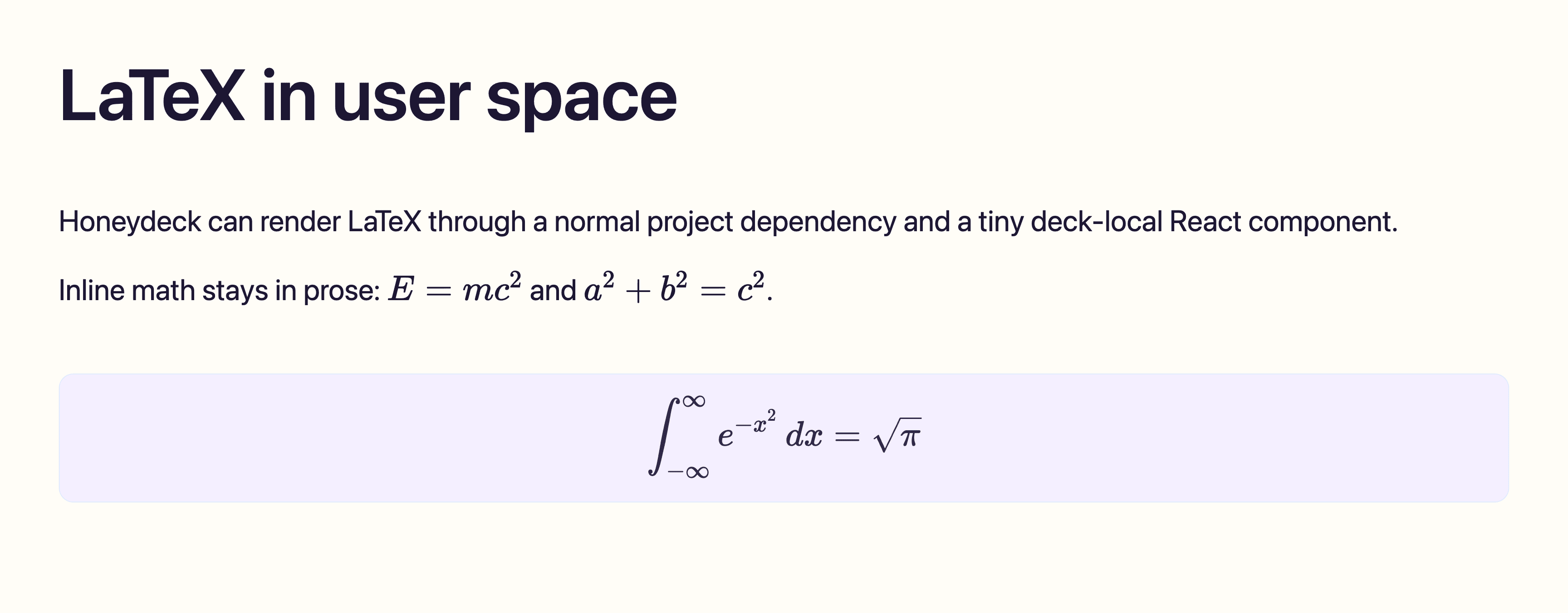
LaTeX rendering is not part of Honeydeck core. Add it as a normal project dependency and render equations through a local React component that you import from your deck.
This guide uses KaTeX for fast client-side rendering.
Install
npm install katexIf your project typechecks local components, also install the usual React and TypeScript dev dependencies for your deck setup.
Import KaTeX CSS
Add KaTeX's stylesheet after Honeydeck's theme imports in your styles.css:
@import "tailwindcss";
@import "@honeydeck/honeydeck/theme.css";
@import "@honeydeck/honeydeck/themes/bee.css";
@import "katex/dist/katex.min.css";
Add a component
Create components/LaTeX.tsx:
/* biome-ignore-all lint/security/noDangerouslySetInnerHtml: KaTeX renders with trust disabled. */
import katex from "katex"
import { isValidElement, type ReactNode } from "react"

type LatexProps = {
  /** LaTeX source. Prefer String.raw`...` for expressions with backslashes. */
  source?: string
  children?: ReactNode
  className?: string
}

function childrenToSource(children: ReactNode): string {
  if (typeof children === "string" || typeof children === "number") {
    return String(children)
  }

  if (Array.isArray(children)) {
    return children.map(childrenToSource).join("")
  }

  if (isValidElement<{ children?: ReactNode }>(children)) {
    return childrenToSource(children.props.children)
  }

  return ""
}

function renderLatex(source: string, displayMode: boolean): string {
  return katex.renderToString(source.trim(), {
    displayMode,
    throwOnError: false,
    strict: false,
    trust: false,
  })
}

function classNames(...values: Array<string | undefined>): string {
  return values.filter(Boolean).join(" ")
}

export function InlineLatex({ source, children, className }: LatexProps) {
  const latex = source ?? childrenToSource(children)

  return (
    <span
      className={classNames("latex-inline", className)}
      dangerouslySetInnerHTML={{ __html: renderLatex(latex, false) }}
    />
  )
}

export function BlockLatex({ source, children, className }: LatexProps) {
  const latex = source ?? childrenToSource(children)

  return (
    <figure className={classNames("latex-display", className)}>
      <div dangerouslySetInnerHTML={{ __html: renderLatex(latex, true) }} />
    </figure>
  )
}
KaTeX output is inserted as HTML. Keep trust: false unless you intentionally need trusted macros.
Add styles
Add theme-friendly wrappers in styles.css:
.latex-inline {
  white-space: nowrap;
}

.latex-display {
  margin: 0;
  overflow-x: auto;
  border: 1px solid var(--honeydeck-border);
  border-radius: var(--honeydeck-border-radius);
  background: var(--honeydeck-surface);
  padding: 0.75em 1em;
  color: var(--honeydeck-surface-foreground);
  font-size: 1.1em;
}

.latex-display .katex-display {
  margin: 0;
}

.latex-display .katex {
  max-width: 100%;
}
Use it in MDX
import './styles.css'
import { BlockLatex, InlineLatex } from './components/LaTeX'

Inline math: <InlineLatex source={String.raw`E = mc^2`} />

<BlockLatex source={String.raw`
\int_{-\infty}^{\infty} e^{-x^2}\,dx = \sqrt{\pi}
`} />
Use String.raw for expressions with backslashes so JavaScript does not treat them as escape sequences.
Runnable example
For a runnable example, see demos/latex on GitHub. It includes inline equations, display equations, source beside rendered output, and theme-friendly equation cards.